Powerful Features Built for Modern Creative Teams

Powerful Features
Built for Modern
Creative Teams

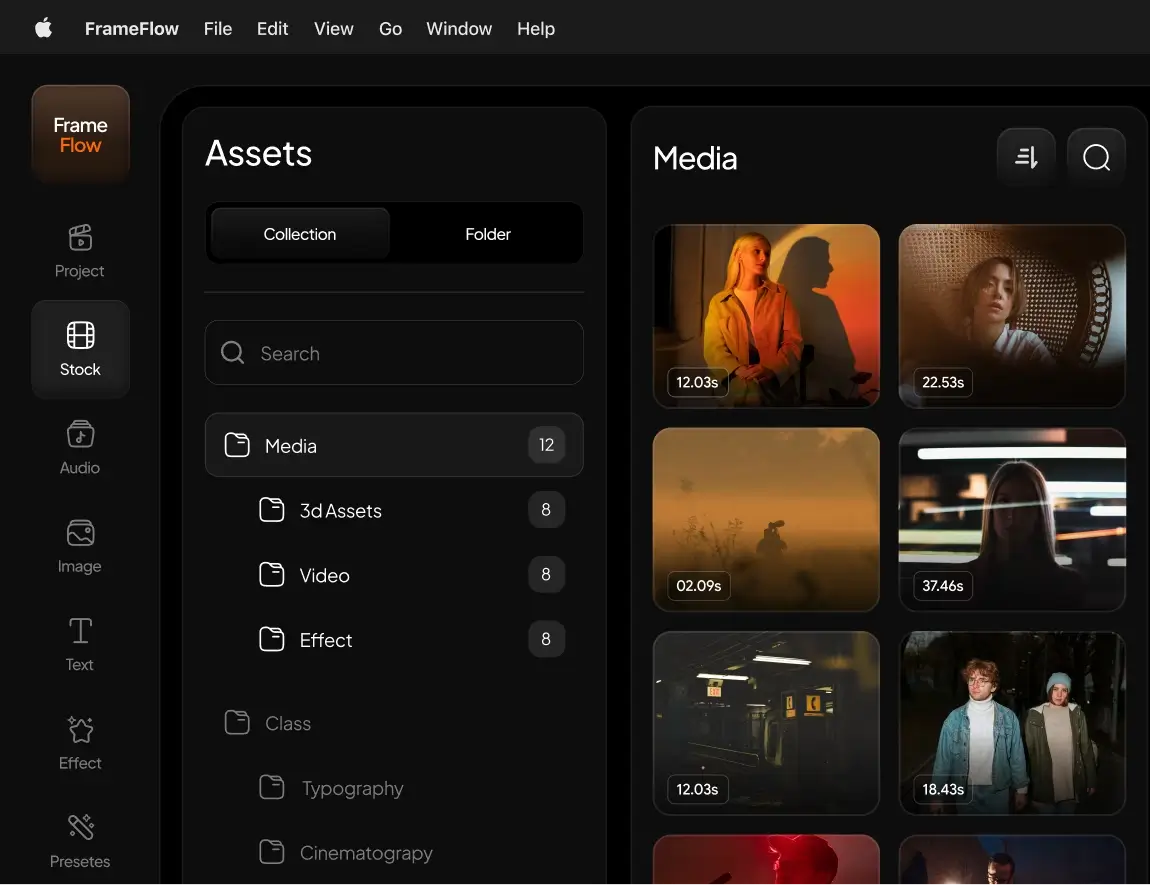
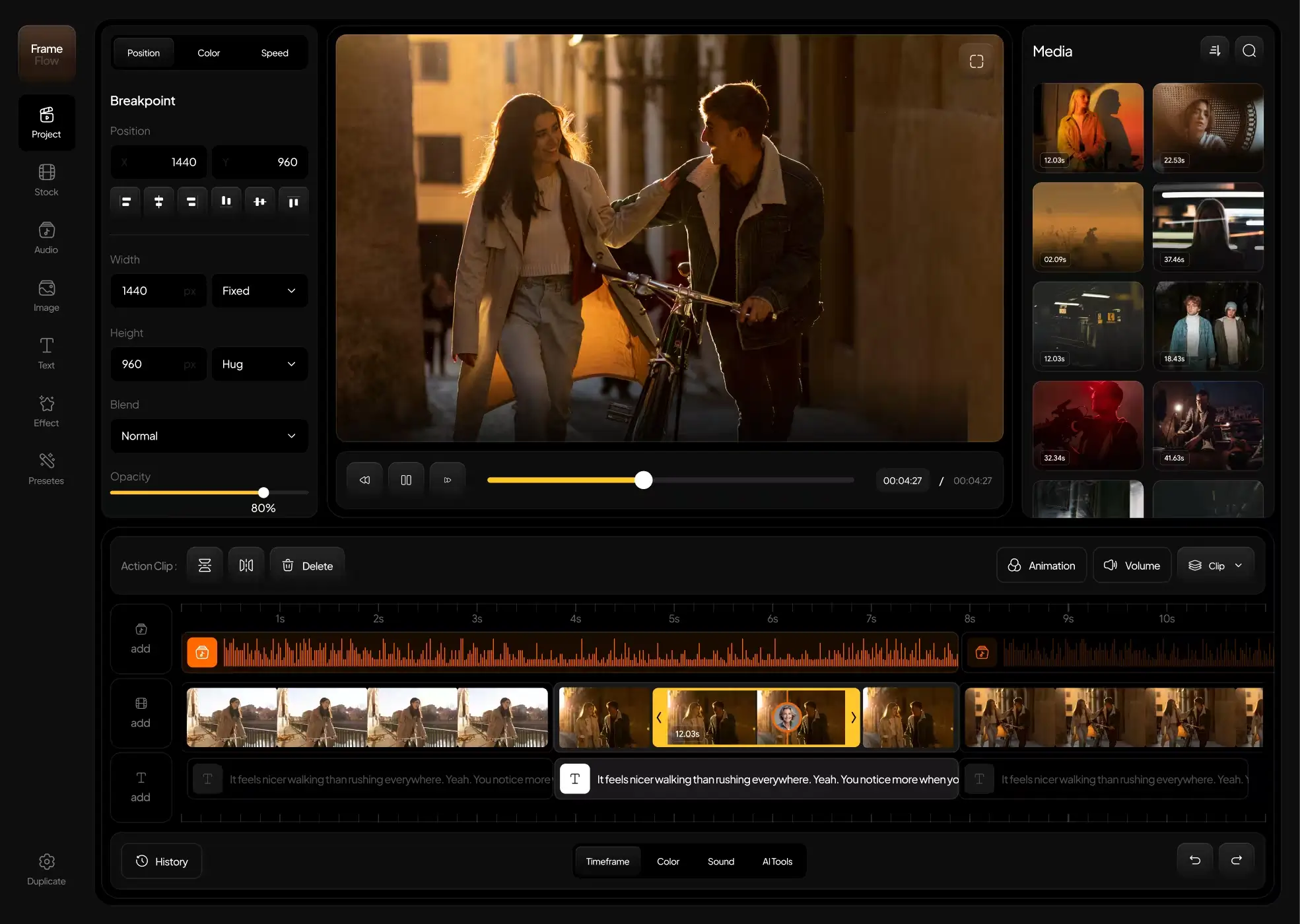
FrameFlow combines workflow customization, asset management, AI collaboration, and feedback tools for your creative team.

image
image
Trusted by Leading Creative Teams Worldwide
  • logo
    logo
  • logo
    logo
  • logo
    logo
  • logo
    logo
  • logo
    logo
  • logo
    logo

Why Creative Teams Choose FrameFlow

Designed specifically for fast-moving creative environments where clarity, speed, and collaboration matter most.

  • image
  • image
  • image
  • image
  • image
  • image
  • image
  • image
  • image
Built for Video & Content Teams

Optimized for media-heavy workflows, not generic task management

Centralized Workflow Control

Manage assets, approvals, and feedback in one place.

image
  • image
  • image
image
image
image
AI-Powered Assistance

Smarter collaboration with automated context and insights.

Everything You Need to Power Creative Workflows

Everything You
Need to Power
Creative Workflows

A complete suite of tools designed to simplify collaboration, accelerate approvals, and organize production from start to finish.

bg

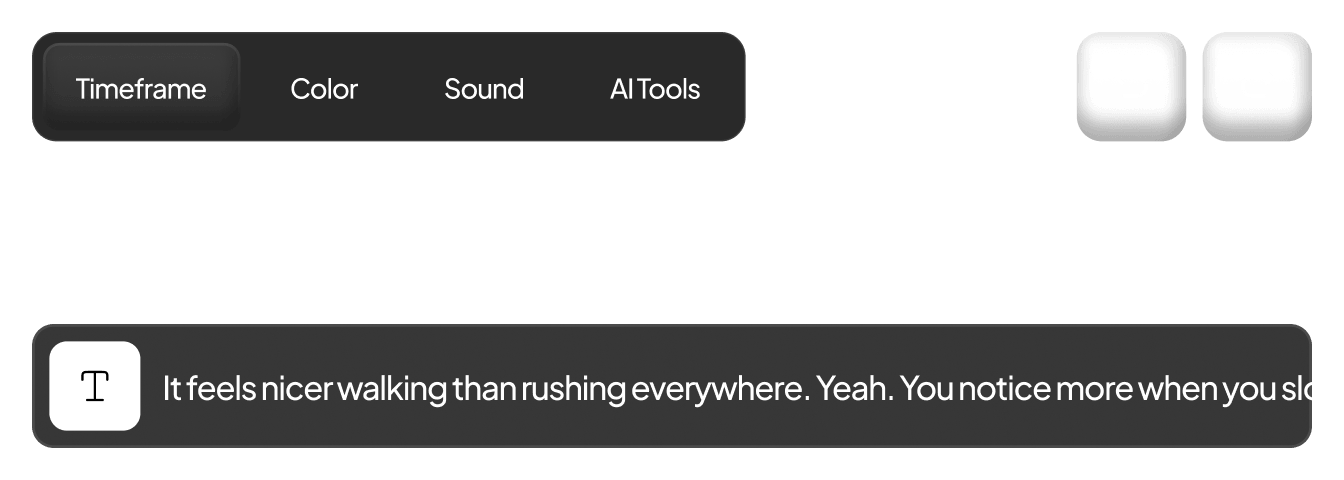
Smart Magnetic Timeline

Optimized for media-heavy workflows, not generic task management

image
bg
icon

Pro Color Grade

Advanced HSL curves and color wheels.

bg
icon

Pro Color Grade

Advanced HSL curves and color wheels.

image

Spatial Audio

Mix in Dolby Atmos directly in browser.

bg
icon

Shared Library

Get immediate and seamless access to all your team's essential assets, ensuring you have everything you need at your fingertips.

bg
icon

Shared Library

Get immediate and seamless access to all your team's essential assets, ensuring you have everything you need at your fingertips.

icon

Quick Export

You can render various formats at the same time in the background.

image
icon

Quick Export

You can render various formats at the same time in the background.

image
bg

Feedback loop, closed right away.

Stop sending email attachments with timestamps. FrameFlow allows clients and team members to leave frame-accurate comments directly on the video. Draw on screen, tag users, and resolve feedback in real-time.

icon

Frame-accurate timestamped comments

icon

On-screen drawing tools for clarity

icon

Automated to-do lists from feedback

Feedback loop, closed right away.

Stop sending email attachments with timestamps. FrameFlow allows clients and team members to leave frame-accurate comments directly on the video. Draw on screen, tag users, and resolve feedback in real-time.

icon

Frame-accurate timestamped comments

icon

On-screen drawing tools for clarity

icon

Automated to-do lists from feedback

image
image
image
image

From Upload to Final Approval — Seamlessly

FrameFlow simplifies your entire production pipeline in four simple steps.

icon
Upload & Organize

Import your assets and structure them with smart collections.

icon
Upload & Organize

Import your assets and structure them with smart collections.

icon
Collaborate in Context

Add comments, reactions, and feedback directly on the timeline.

icon
Collaborate in Context

Add comments, reactions, and feedback directly on the timeline.

icon
Review & Approve

Track revisions, manage feedback, and finalize content faster.

icon
Review & Approve

Track revisions, manage feedback, and finalize content faster.

icon
Share with Confidence

Deliver polished work through secure, branded presentations.

icon
Share with Confidence

Deliver polished work through secure, branded presentations.

image
image
image
image

Built for Creators, Teams, and Studios

From independent video editors to full-scale production studios and marketing departments, FrameFlow adapts to every creative role — bringing clarity, structure, and speed to complex collaboration workflows.

icon
Video Editors

Precise frame-level feedback and version comparison tools.

icon
Creative Directors

Concise view of projects, approvals, and progress.

icon
Agencies

Client presentation tools with permission-based sharing.

icon
Marketing Teams

Fast campaign review cycles and collaboration workflows.

Frequently Asked Questions

What is FrameFlow?

icon

FrameFlow is a collaborative workflow platform designed specifically for creative teams. It brings together asset organization, timeline-based feedback, AI-assisted insights, and structured approval systems — all in one centralized workspace built for modern content production.

Who is FrameFlow for?

icon

FrameFlow is designed for video editors, creative agencies, production studios, marketing teams, and freelance creators. Whether managing client campaigns or internal projects, the platform adapts to your workflow and team size.

Do I need to install anything to use FrameFlow?

icon

No installation is required. FrameFlow is fully web-based, allowing you and your team to access projects securely from any device with a browser. This ensures flexibility and seamless collaboration across locations.

How does FrameFlow improve feedback and reviews?

icon

FrameFlow enables timeline-based commenting, allowing reviewers to leave precise feedback at exact timestamps or frames. Combined with version tracking and structured approval workflows, this eliminates confusion and speeds up revision cycles significantly.

Can I control who sees or comments on my work?

icon

Yes. FrameFlow includes role-based permissions and secure sharing options. You can define who can view, comment, edit, or approve content — ensuring complete control over collaboration and access.

Frequently Asked Questions

What is FrameFlow?

icon

FrameFlow is a collaborative workflow platform designed specifically for creative teams. It brings together asset organization, timeline-based feedback, AI-assisted insights, and structured approval systems — all in one centralized workspace built for modern content production.

Who is FrameFlow for?

icon

FrameFlow is designed for video editors, creative agencies, production studios, marketing teams, and freelance creators. Whether managing client campaigns or internal projects, the platform adapts to your workflow and team size.

Do I need to install anything to use FrameFlow?

icon

No installation is required. FrameFlow is fully web-based, allowing you and your team to access projects securely from any device with a browser. This ensures flexibility and seamless collaboration across locations.

How does FrameFlow improve feedback and reviews?

icon

FrameFlow enables timeline-based commenting, allowing reviewers to leave precise feedback at exact timestamps or frames. Combined with version tracking and structured approval workflows, this eliminates confusion and speeds up revision cycles significantly.

Can I control who sees or comments on my work?

icon

Yes. FrameFlow includes role-based permissions and secure sharing options. You can define who can view, comment, edit, or approve content — ensuring complete control over collaboration and access.

Frequently Asked Questions

What is FrameFlow?

icon

FrameFlow is a collaborative workflow platform designed specifically for creative teams. It brings together asset organization, timeline-based feedback, AI-assisted insights, and structured approval systems — all in one centralized workspace built for modern content production.

Who is FrameFlow for?

icon

FrameFlow is designed for video editors, creative agencies, production studios, marketing teams, and freelance creators. Whether managing client campaigns or internal projects, the platform adapts to your workflow and team size.

Do I need to install anything to use FrameFlow?

icon

No installation is required. FrameFlow is fully web-based, allowing you and your team to access projects securely from any device with a browser. This ensures flexibility and seamless collaboration across locations.

How does FrameFlow improve feedback and reviews?

icon

FrameFlow enables timeline-based commenting, allowing reviewers to leave precise feedback at exact timestamps or frames. Combined with version tracking and structured approval workflows, this eliminates confusion and speeds up revision cycles significantly.

Can I control who sees or comments on my work?

icon

Yes. FrameFlow includes role-based permissions and secure sharing options. You can define who can view, comment, edit, or approve content — ensuring complete control over collaboration and access.

image
image
image

Create Your Story, Instantly

Gives you the power to bring your ideas to life no waiting, no installs. Everything you need is right here,

image
image
image

Create Your Story, Instantly

Gives you the power to bring your ideas to life no waiting, no installs. Everything you need is right here,

image
image
image

Create Your Story, Instantly

Gives you the power to bring your ideas to life no waiting, no installs. Everything you need is right here,

Create a free website with Framer, the website builder loved by startups, designers and agencies.